How Do I Register for the e-MTA Tax Portal in Estonia?
Oh, the infamous e-MTA portal! For many expats landing in Estonia, navigating the local tax system can feel like trying to decipher ancient runes while blindfolded. From understanding what taxes you actually owe to figuring out how to file anything, the initial hurdles are real and incredibly frustrating. This comprehensive guide is here to walk you through the process of registering and getting started with Estonia's e-MTA tax portal, ensuring you have the digital keys to manage your financial obligations with much less stress.
Why the e-MTA Portal is Your Best Friend (Even If It Doesn't Feel Like It Yet)
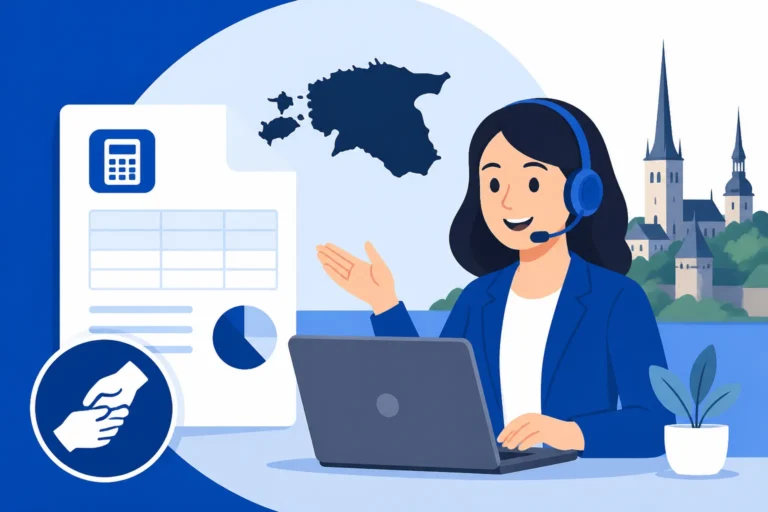
Let's be honest, tax portals rarely evoke feelings of warmth and affection. However, in Estonia, the e-MTA portal – the online environment of the Estonian Tax and Customs Board (Maksu- ja Tolliamet) – is an absolute game-changer. It’s not just a place to file your annual return; it's your central hub for almost everything tax-related. For expats, this digital convenience is often a lifesaver, cutting through what could otherwise be mountains of paperwork and confusing bureaucracy.
What Exactly Is e-MTA?
At its heart, e-MTA stands for 'e-Maksuamet' or 'e-Tax Board'. It's Estonia's primary digital platform for individuals and businesses to interact with the tax authorities. Think of it as your personal, secure online office for all tax and customs matters. In a country that prides itself on digital innovation, the e-MTA portal is a shining example of how public services are streamlined and made accessible 24/7. It’s where you'll find pre-filled tax declarations, check your tax debts, manage your VAT registration, and much more. Without access to e-MTA, you'd find yourself trying to navigate physical offices or relying heavily on third-party services, which can add unnecessary complexity and cost.
Common Expat Frustrations and How e-MTA Helps
Many expats arrive in Estonia with a solid understanding of tax systems from their home countries, only to find Estonia's approach refreshingly different, yet initially baffling. One of the biggest frustrations is the sheer volume of new terminology and the digital-first approach. For instance, in many countries, filing taxes involves extensive manual calculations and gathering physical documents. In Estonia, much of this is automated.
Imagine this scenario: you're new to Tallinn, you've just started your first job, and suddenly it's tax season. In your home country, you might have weeks of anxiety, sorting through receipts and forms. With e-MTA, if your employer is diligently paying your social taxes, a large part of your annual income tax return will often be pre-filled. You simply log in, review, and confirm. This digital efficiency is where e-MTA truly shines. It dramatically reduces the time and effort you'd otherwise spend. It also allows you to keep an eye on your tax residency in Estonia, ensuring you're compliant with local laws. This can be especially helpful if you're trying to figure out if you're liable for taxes only in Estonia or if you have obligations elsewhere.
Eligibility and Prerequisites: Getting Your Ducks in a Row
Before you can even dream of logging into the e-MTA portal, there are a few fundamental pieces of the Estonian digital puzzle you absolutely must have in place. Without these, you're essentially locked out. Don't worry, many expats go through this process, and once you have them, Estonia's digital society opens up wonderfully.
The All-Important Isikukood (Personal Identification Code)
The Isikukood, or personal identification code, is the absolute cornerstone of your life in Estonia. It’s a unique 11-digit number assigned to every resident, and it's your digital fingerprint for virtually all public and private services, including the e-MTA portal. Without an Isikukood, you cannot register your residence, open a bank account, sign up for a phone contract, or access digital services like e-MTA.
Think of it this way: your Isikukood is your key to unlocking Estonia's digital infrastructure. You'll typically receive it when you register your place of residence with the local government (e.g., Tallinn Population Register Office) or when you apply for your residence permit at the Police and Border Guard Board (PPA). If you’re wondering about the exact steps to get this crucial number, there's a detailed guide on How to Get Your Isikukood (Personal Code) and Why It Matters for Healthcare that applies universally to all aspects of life here. Make sure this is one of the very first things you sort out after arriving.
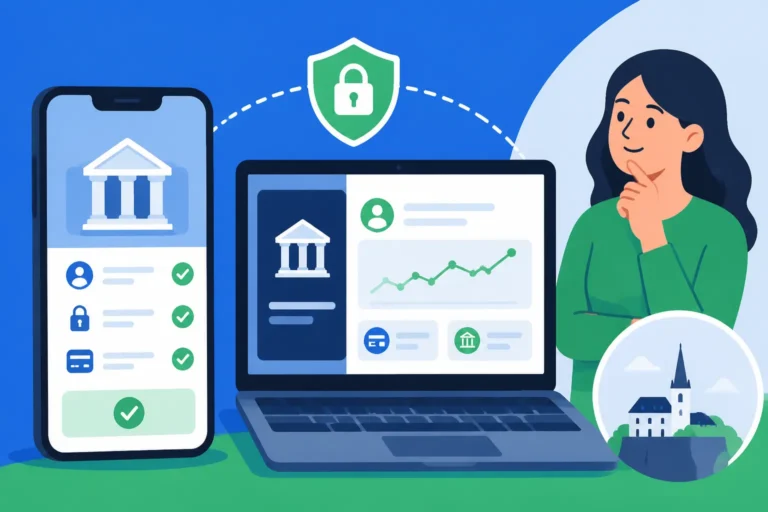
The e-ID Card and Mobile-ID: Your Digital Keys
Once you have your Isikukood, the next step is to acquire a digital identification method. This is how you prove who you are online, and it's essential for logging into secure portals like e-MTA. Estonia offers several options, but the most common for expats are the e-ID card and Mobile-ID.
- e-ID Card: This is your physical plastic card, similar to an identity card in other countries, but with an embedded chip. It functions not only as a valid identification document but also as a digital key. You’ll need a card reader (a small USB device) and specific software installed on your computer to use it. When you get your residence permit, an e-ID card will typically be issued automatically as part of that process. It usually contains two PIN codes: PIN1 for authentication (logging in) and PIN2 for digital signing. This allows you to digitally sign documents with legal validity, which is incredibly useful for various administrative tasks, not just taxes.
- Mobile-ID: For those who prefer convenience on the go, Mobile-ID is a fantastic option. It's a SIM card-based solution that allows you to authenticate and digitally sign documents using your mobile phone. There's no need for a card reader; you simply enter your PIN codes directly on your phone when prompted. To get a Mobile-ID, you need to contact your Estonian mobile operator (like Telia, Elisa, or Tele2) and apply for a special SIM card. You’ll also need to activate the service and link it to your Isikukood. Many expats find Mobile-ID incredibly convenient for quick logins and approvals.
Without either an activated e-ID card or Mobile-ID, you simply won't be able to access the e-MTA portal. It’s a robust security measure, but one that takes a little effort to set up initially.
Step-by-Step Guide to Registering for e-MTA
Alright, you’ve got your Isikukood, and you’re equipped with either an e-ID card and reader or a shiny new Mobile-ID. Now, let’s dive into the actual process of getting yourself into the e-MTA portal. It might feel a little clunky the first time, but once you’re in, it’s remarkably user-friendly.
Activating Your e-ID Card or Mobile-ID
Before you even open the e-MTA website, you need to ensure your digital identification method is fully functional.
- For e-ID Card Users: You need to install the ID-card software on your computer. You can download this free software package from the official
id.eewebsite. This package includes everything needed, including the ID-card utility and browser plugins. Once installed, plug in your card reader, insert your e-ID card, and test it. The ID-card utility allows you to check your card's validity, change PIN codes (which you should do from the default ones you received), and make sure everything is working as it should. If you encounter issues here, it’s best to troubleshoot with theid.eesupport or your service provider before trying to log into e-MTA. - For Mobile-ID Users: Ensure your Mobile-ID SIM card is active and you've completed the activation process with your mobile operator. They usually provide clear instructions. Test it by trying to log into another Estonian e-service, like your bank's online portal or
eesti.ee. When you attempt to log in using Mobile-ID, you'll enter your phone number, and a verification code will appear on your computer screen. You'll then get a prompt on your phone with the same code, which you confirm by entering your PIN1. If this works, you're good to go.
First-Time Login to the e-MTA Environment
Once your digital ID is humming along, head over to the official e-MTA website. You'll find it at emta.ee.
- Select Your Login Method: On the
emta.eehomepage, look for the login options. You'll typically see choices like "ID-kaart," "Mobiil-ID," and possibly "Smart-ID" (another popular mobile authentication app). - Using e-ID Card: Click on "ID-kaart." Your browser might prompt you to select your certificate. Choose the correct one (it should be your name), and then you'll be asked to enter your PIN1. After successfully entering your PIN1, the system will process your login.
- Using Mobile-ID: Click on "Mobiil-ID." You'll be prompted to enter your personal identification code (Isikukood) and your mobile phone number. After entering these, click "Log in." A verification code will appear on your computer screen, and your phone will receive a prompt displaying the same code. Confirm it by entering your Mobile-ID PIN1 on your phone.
If everything goes smoothly, you’ll be redirected to the e-MTA portal dashboard. Congratulations, you've cracked the code!
Navigating the Initial Setup and Language Options
The first time you log in, the e-MTA portal might default to Estonian. Don't panic!
- Change Language: Look for a language selection option, usually in the top right corner of the page. It's often indicated by "EST," "ENG," or small flag icons. Select "ENG" for English. The entire interface should switch to English, making it much more manageable.
- Explore the Dashboard: Take a moment to familiarise yourself with the layout. The dashboard typically provides an overview of your current tax situation, any outstanding obligations, and quick links to frequently used services. You'll often see sections for "My Taxes" (Minu maksud), "Declarations" (Deklaratsioonid), and "Payments" (Maksed).
- Personal Information Check: It's a good idea to navigate to your personal profile or settings section to ensure your contact details, especially your email address, are up-to-date. This is important for receiving any notifications or communications from the tax board.
At this stage, you're officially registered and logged in. You've conquered the initial setup, which many expats find to be the most daunting part. Now you can explore the functionalities.
Key Functions of the e-MTA Portal for Expats
Once you're inside the e-MTA portal, you'll discover a wealth of features designed to make managing your taxes straightforward. For expats, understanding these key functions is crucial for staying compliant and taking advantage of Estonia’s efficient digital tax system.
Checking Your Tax Obligations and Status
One of the most immediate benefits of the e-MTA portal is the ability to check your current tax status. This is particularly valuable if you're working, self-employed, or have other income streams.
- View Tax Liabilities: Under a section like "My Taxes" or "Obligations" (Kohustused), you can see a breakdown of any outstanding tax debts or overpayments. This includes income tax (Tulumaks), social tax (Sotsiaalmaks), and potentially other taxes like unemployment insurance. It’s a transparent way to ensure you don’t accidentally fall behind.
- Social Tax Information: For employees, your employer automatically remits social tax, which directly funds your public healthcare coverage and future pension. In e-MTA, you can view the amounts your employer has declared and paid on your behalf. This is vital for understanding How Estonia's Health Insurance Fund (Tervisekassa) Works: A Full Overview and ensuring your health insurance status is active.
- Income Details: The portal often provides a summary of your declared income, which is particularly useful for verifying that your employer has reported your earnings correctly.
Filing Your Annual Income Tax Return
This is arguably the most important function for most individuals. Estonia operates on a system where much of your annual income tax return is pre-filled.
- Pre-filled Data: When tax season rolls around (usually from mid-February to the end of March for the previous year's income), you'll find your personal income tax declaration (tuludeklaratsioon) largely pre-filled based on data submitted by your employer, banks, and other institutions. This includes your salary, certain investment income, and often even some eligible deductions.
- Review and Add Deductions: Your primary task is to review the pre-filled data for accuracy. You might also need to add certain deductions that aren't automatically included, such as interest on a home loan, certain educational expenses, or gifts. This is where a detailed guide like How to File Your Annual Income Tax Return in Estonia can become your best friend, walking you through each section. Remember, if you have any foreign income or assets, you'll need to declare those as well.
- Confirmation and Submission: Once reviewed and any additional information added, you simply confirm and submit. The system will immediately calculate your tax refund or any additional amount due. The process is incredibly efficient compared to many other countries, thanks to the deep integration of digital services.
Managing Business Taxes as an FIE or OÜ Owner
For entrepreneurs, freelancers, and small business owners (FIEs – sole proprietors, or OÜs – private limited companies), the e-MTA portal is an indispensable tool.
- FIE Tax Declarations: If you're registered as an FIE, you’ll use e-MTA to declare your business income and expenses, calculate your income tax, and manage your social tax contributions. The process for How to Pay Taxes as an FIE in Estonia is fully integrated into the portal, allowing you to submit all necessary declarations and payments.
- OÜ Corporate Tax: Estonia has a unique corporate tax system where profits are only taxed when distributed as dividends. While the OÜ itself doesn't pay regular corporate income tax on retained earnings, e-MTA is where the company's representative will declare dividend payments and other distributions. Understanding Estonia's Corporate Tax System: Tax Only on Distributed Profit (2027) is key for any OÜ owner, and e-MTA is where these declarations are made.
- VAT Registration and Declarations: If your business meets the threshold for VAT registration, you'll manage your VAT (Käibemaks) declarations and payments through e-MTA. You can register your company for VAT, submit monthly VAT returns, and monitor your VAT liabilities and refunds, all within the portal.
Other Useful Features: Registrations, Declarations, and Payments
Beyond the annual income tax return, e-MTA offers a range of other services:
- Registering Short-Term Employment: If you hire someone for short-term work (e.g., seasonal labor), you can register their employment directly through e-MTA.
- Gift and Donation Declarations: If you receive significant gifts or make donations, you might need to declare them here.
- Customs Declarations: For certain goods imported or exported, e-MTA can also serve as the platform for customs declarations, integrating the tax and customs board's functions.
- Making Payments: You can easily make tax payments directly through the portal by linking to your Estonian bank account. Most Estonian banks have seamless integration with e-MTA, making payments a breeze. This is far easier than trying to navigate international transfers for tax purposes, though services like Wise can still be helpful for handling broader international money movements.
The portal's depth of functionality means that almost every interaction you need to have with the Estonian tax authorities can be handled digitally and securely.
Troubleshooting Common e-MTA Access Issues
Even with Estonia's advanced digital infrastructure, hiccups can happen. When you're dealing with something as crucial as your taxes, a login error or a confusing message can feel incredibly frustrating. Let's tackle some common issues expats face when trying to register for or use e-MTA.
Problems with Digital Identification
The most frequent hurdle is related to your e-ID card or Mobile-ID.
- e-ID Card Not Recognized:
- Software issues: Is the ID-card software properly installed? Has it been updated recently? Sometimes, an outdated version can cause problems.
- Browser compatibility: Ensure you are using a supported browser (Chrome, Firefox, Edge usually work fine). Browser extensions or security settings might interfere.
- Card reader issues: Is the card reader properly connected? Is it faulty? Try unplugging and replugging it. Sometimes, the USB port itself might be an issue.
- Expired card/certificates: Check the validity of your e-ID card and its digital certificates using the ID-card utility. If they've expired, you'll need to renew your residence permit and receive a new card.
- Incorrect PIN: It sounds simple, but double-check your PIN1. After three incorrect attempts, your card will be locked, requiring a visit to the PPA to unlock it with your PUK code.
- Mobile-ID Not Working:
- SIM card activation: Is your Mobile-ID SIM card fully activated by your mobile operator? Sometimes, there's a delay.
- Phone signal: Do you have a good mobile signal? Mobile-ID relies on SMS communication.
- PIN synchronization: Ensure the PINs you're entering match those associated with your Mobile-ID. Just like the e-ID card, incorrect PIN entries can lock the service.
- Operator issues: If you're consistently having problems, it's worth contacting your mobile operator's support. They can check the status of your Mobile-ID service.
If you're still stuck, id.ee has a comprehensive support section with FAQs and troubleshooting guides. It's often the first place to look.
Language Barriers and Where to Find Help
While e-MTA offers an English interface, some accompanying documentation, notifications, or specific help sections might still be in Estonian. This can be a real pain point for non-Estonian speakers.
- Google Translate/Browser Extensions: For text within the portal that doesn't switch, or for external links to Estonian documents, browser extensions like Google Translate can be a lifesaver. While not perfect, they often provide enough context to understand the gist.
- e-MTA Customer Service: The Estonian Tax and Customs Board does have English-speaking customer service representatives. Don't hesitate to call their general information line. Be patient, as wait times can vary, but they are generally helpful. You can usually find their contact details on the
emta.eewebsite. - Expat Communities: Online expat groups (e.g., on Facebook, Reddit) are often fantastic resources. Someone else has probably faced the exact same issue and can offer advice or point you to specific resources.
- Professional Assistance: For complex situations, or if you simply find the entire process too overwhelming, consider hiring an accountant or a tax consultant who specialises in expat taxes in Estonia. Companies like Taxes for Expats specifically cater to this niche, providing invaluable peace of mind. While the goal is to empower you to use e-MTA yourself, sometimes professional help is the most efficient solution.
What to Do If Your Account Is Inactive or Locked
There might be rare instances where your e-MTA account appears inactive or you receive a message that you cannot log in.
- Check Residence Permit Validity: Your ability to use Estonian digital services is directly linked to the validity of your residence permit. If your permit has expired, your digital ID will likely be suspended, and you won't be able to log in. You'll need to renew your residence permit first.
- Isikukood Status: Ensure your Isikukood is still active and correctly registered in the Population Register.
- Contact PPA: For issues related to your e-ID card being locked (e.g., after too many incorrect PIN attempts), you'll need to visit a Police and Border Guard Board (PPA) service point in person with your PUK codes to unlock it.
- Contact e-MTA Directly: If all else fails and you can't identify the problem through your digital ID, reach out to the e-MTA customer support. They can check your specific account status and provide guidance. Have your Isikukood ready when you call.
Navigating these issues can be tedious, but understanding the common pitfalls can save you a lot of time and frustration.
Making the Most of e-MTA: Tips for a Smoother Experience
Once you're comfortable logging in and navigating the e-MTA portal, there are several strategies you can employ to make your tax life even smoother in Estonia. It’s all about proactive engagement and knowing where to turn for support.
Regular Checks and Proactive Engagement
Don't treat e-MTA as a once-a-year chore. Making it a regular part of your financial routine can prevent surprises.
- Monthly or Quarterly Reviews: Take five minutes every month or quarter to log in. Check your "My Taxes" section to see if there are any outstanding liabilities or unexpected declarations. This is especially important for freelancers or those with variable income. It's far easier to deal with a small unexpected amount now than a large one at year-end.
- Review Employer Data: For employees, regularly check that the social tax and income tax data reported by your employer aligns with your payslips. Discrepancies are rare but catching them early allows you to address them promptly with your HR department.
- Stay Updated on Notifications: e-MTA often sends important notifications to your registered email address or directly within the portal. Don't ignore these! They could be about deadlines, changes in tax law that affect you, or requests for additional information.
Leveraging Expert Help When Needed
While Estonia's system is designed for self-service, there are times when professional guidance is invaluable.
- Complex Tax Situations: If you have income from multiple countries, significant investments, or complex business structures, your tax situation might extend beyond the straightforward pre-filled declaration. This is where a tax advisor specializing in international tax or expat taxes can be a huge asset. They can ensure you're compliant with both Estonian law and any double taxation agreements with your home country.
- Starting a Business: If you're considering registering as an FIE or setting up an OÜ, getting expert advice from the outset can save you headaches down the line. An accountant can guide you through the initial setup on e-MTA, explain your ongoing obligations, and ensure you're making the most of Estonia's unique corporate tax system.
- Peace of Mind: Sometimes, the value of professional help isn't just about avoiding errors, but about the peace of mind it brings. Knowing that an expert is reviewing your affairs can alleviate significant stress.
Staying Informed About Tax Changes
Tax laws, even in a stable system like Estonia's, can evolve. Staying in the loop is key.
- Official Sources: Regularly check the
emta.eewebsite for news and announcements. They often publish updates in English, especially regarding major changes that affect individuals and businesses. - Expat News Outlets: Many expat-focused news sites or blogs (like this one!) provide summaries and analyses of relevant changes to Estonian tax laws.
- Professional Network: If you work with an accountant or are part of a business network, these can be great sources of information about impending changes.
By taking a proactive approach to your e-MTA portal usage and leveraging available resources, you can transform what might initially seem like a bureaucratic nightmare into a manageable, even efficient, aspect of your life as an expat in Estonia. Remember, the digital key is in your hand; it's just about learning how to use it confidently.
Disclaimer
The information provided in this article is intended for general informational purposes only and does not constitute professional tax, legal, or financial advice. While we strive to keep the information up-to-date and accurate, tax laws and procedures in Estonia can change. Expats are strongly advised to consult with a qualified Estonian tax advisor or the Estonian Tax and Customs Board (Maksu- ja Tolliamet) for advice tailored to their specific situation.